
Whether you’re meeting with an existing client or a new prospect, openthebox enables banking professionals to prepare quickly and effectively. The platform aggregates real-time business and financial data from official sources, giving you fast access to reliable insights that support informed conversations.
1. Start with a Direct Search
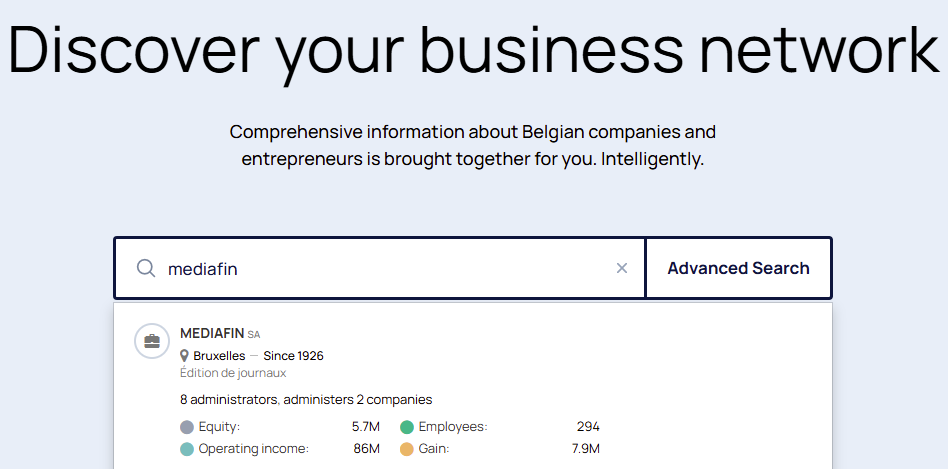
Use the search bar at the top of the openthebox interface to enter a company name or an individual entrepreneur’s name. This will take you to the relevant Company Profile or Person Profile, depending on your search.
Tip: Use the full legal name or enterprise number for the most accurate results.
2. Get a High-Level Overview
Once you're on the profile page:
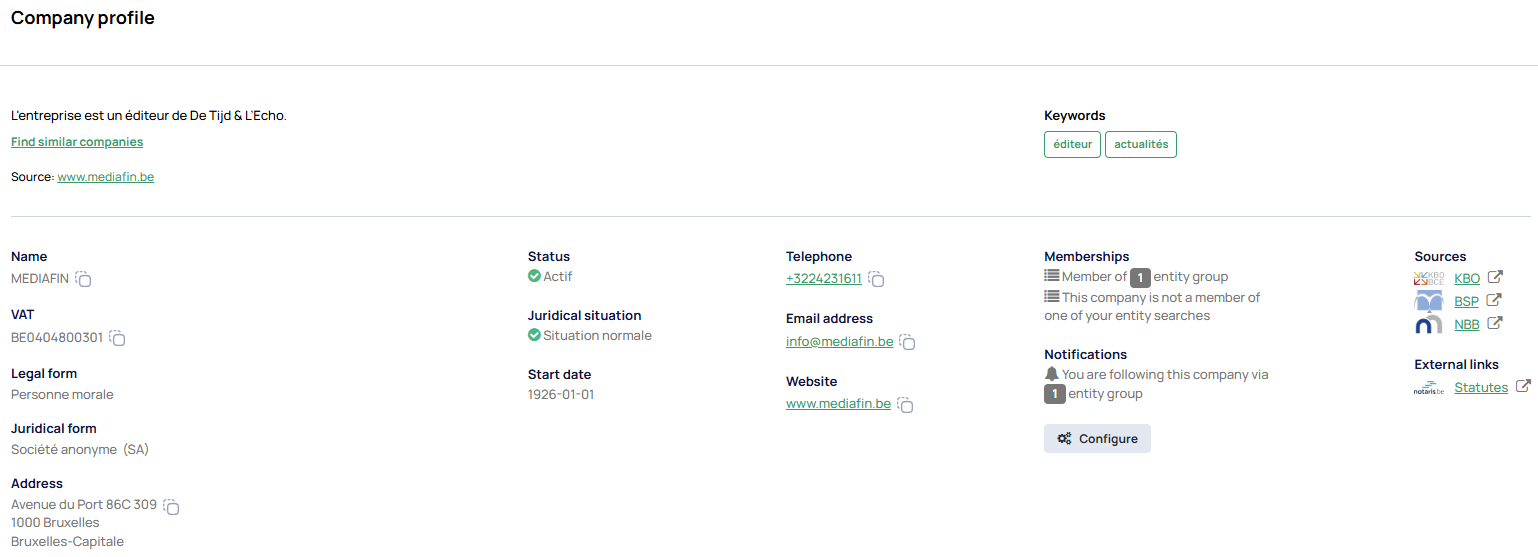
You’ll see a summary overview with key information such as the company type, status, address, and incorporation date.
Below this, important sections like Mandates, Shareholdership, Financials, and Publications are shown in preview.
This is your quick-read snapshot before diving deeper.
3. Explore Detailed Tabs for In-Depth Information
At the top of each profile, you'll find tabs that organize additional insights:
Mandates: View a list of current and historical director or board positions linked to the company or person.
Shareholders: Understand the ownership structure. This is essential when assessing group exposures or beneficial ownership.
Financials: Dive into annual reports, key figures, and balance sheets—helpful for credit analysis or risk assessment.
Spiderweb: Visualize company linkages and relationships across the business ecosystem.
News: Browse relevant articles from De Tijd for media sentiment or recent developments.
Use these tabs to support compliance and relationship management workflows.

4. Real-Time Source Integration
openthebox pulls data from trusted, real-time sources, ensuring you're always working with up-to-date information:
Crossroads Bank for Enterprises – Legal and structural data
Official Gazette / Moniteur Belge – Official publications and legal filings
National Bank of Belgium – Financial reporting data
De Tijd – Business news and coverage
These sources are continuously updated, so you don’t need to manually cross-check information from different government platforms.
Banking-Specific Use Cases
Bankers use openthebox for:
KYC (Know Your Customer) checks
Mapping business networks for a first, quick risk assessment
Identifying owners to meet regulatory requirements
Monitoring financial health to anticipate conversation topics or risks
Best Practices
Bookmark client profiles ahead of the meeting for quick access.
Use the Spiderweb view to understand indirect relationships that could affect group risk.
Export data when preparing internal briefing documents or loan applications.
Need More Help?
If you have further questions about using openthebox in a financial services context, contact us through our contact form or chat.